
 Michelle Dassen


We're adding our first AI feature to the email builder, and it solves one of the most time-consuming (and expensive) problems in multilingual email marketing: getting a finished campaign translated without rebuilding everything from scratch.
Quick overview:
AI translator: skip the agency, send in any language today
Briefing a translator, waiting days for the copy, rebuilding the email, fixing the layout, and then checking every placeholder and link. For one translated campaign, that process can easily cost you a few hundred euros and most of a working week.The new AI translator cuts that down to minutes, at no extra cost beyond your Flexmail plan.
You take a finished email in the new builder, click "Translate," and Flexmail generates a translated version in a new tab. Your original stays untouched, your personalization placeholders are preserved exactly as-is, and the design remains completely intact.
A few things that make this more complete than pasting your copy into a translation tool:
- Alt text is translated too, not just the visible copy. That matters for accessibility and for readers with images turned off.
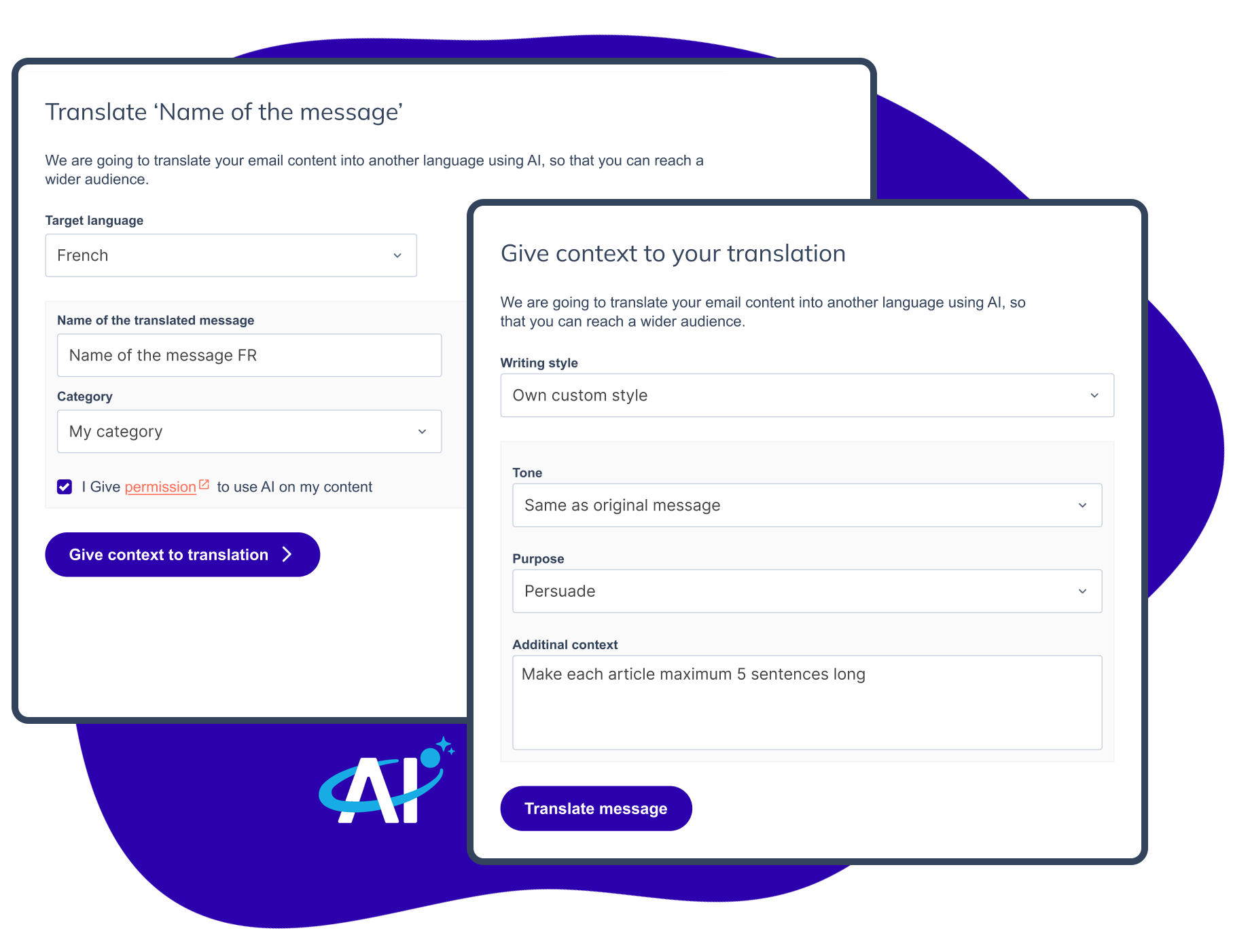
- Context settings let you guide the output. Set the tone, the goal of the message, and add specific instructions like "use 'tu' for French-speaking Belgium" or "keep the product names in English."
- The source language is detected automatically, so no extra configuration needed.
One thing to check before you send
Links in your translated email point to the same URLs as the original. If your call-to-action buttons or text links lead to language-specific landing pages, product pages, or forms, update those URLs in the translated version before sending.Who gets the most out of this
The time and cost savings are biggest if you're already creating content in one language and manually handling translations, or skipping certain audiences entirely because the process is too heavy. This feature is a good fit for teams sending to multiple language regions in Belgium or broader European markets, agencies managing campaigns for multilingual clients, and anyone running time-sensitive promotions where a two-day translation turnaround kills the timing.It works well for standard marketing emails. For anything requiring certified or legal-grade translations, a human review is still the right call, and the output is fully editable so you can make those adjustments easily.
A note on credits
AI translation uses Flexmail's AI credit pool, which will also power upcoming AI features. Here's what's included per plan per month:- Start: 3 credits
- Essential: 10 credits
- Pro & Premium: 300 credits
1 credit equals 1 AI task. Credits reset on your monthly renewal date. You'll need AI consent enabled in your account settings (Settings > Email > AI consent) before using the feature.
The AI Translator is currently not available for accounts with email credits, only for subscriptions.
How to get started
- Create and finish your email in the email builder
- Click the save button dropdown and select "Translate message," or use the Actions dropdown on the message overview
- Choose your target language (only languages active in your account appear here)
- Name the new message and assign a category
- Optionally add tone, goal, or context instructions
- Click "Translate message" and review the result in the new tab
- Update any links that should point to language-specific URLs
- Send
Questions about the AI translator or your credit balance? Our support team is here to help.


