
 Michelle Dassen


Imagine: a contact opens your newsletter, clicks on a product link, but doesn't end up buying anything. What now? Following up manually takes time. Doing nothing is a missed opportunity. Automation workflows solve this: they automatically send the right follow-up email at the right moment, based on what your contact did — or didn't do.
In this blog, we explain what automation workflows are, when to use them, and how to set one up step by step in Flexmail.
What makes automation workflows so powerful: your contact activates the workflow themselves. That means the timing is always spot-on and the content is always relevant — and that translates directly into better results: higher open rates, more clicks, more conversions.
On top of that, it's a fully automated process. You set up the workflow once and the platform takes care of the rest. No more lost leads due to human error, no more time spent on individual follow-ups — while still automatically reaching every quality contact.
Want to dive deeper into how to nurture leads via email? Check out our 4 recipes for persuasive lead nurturing campaigns.
Also explore the full overview of automation possibilities in Flexmail.

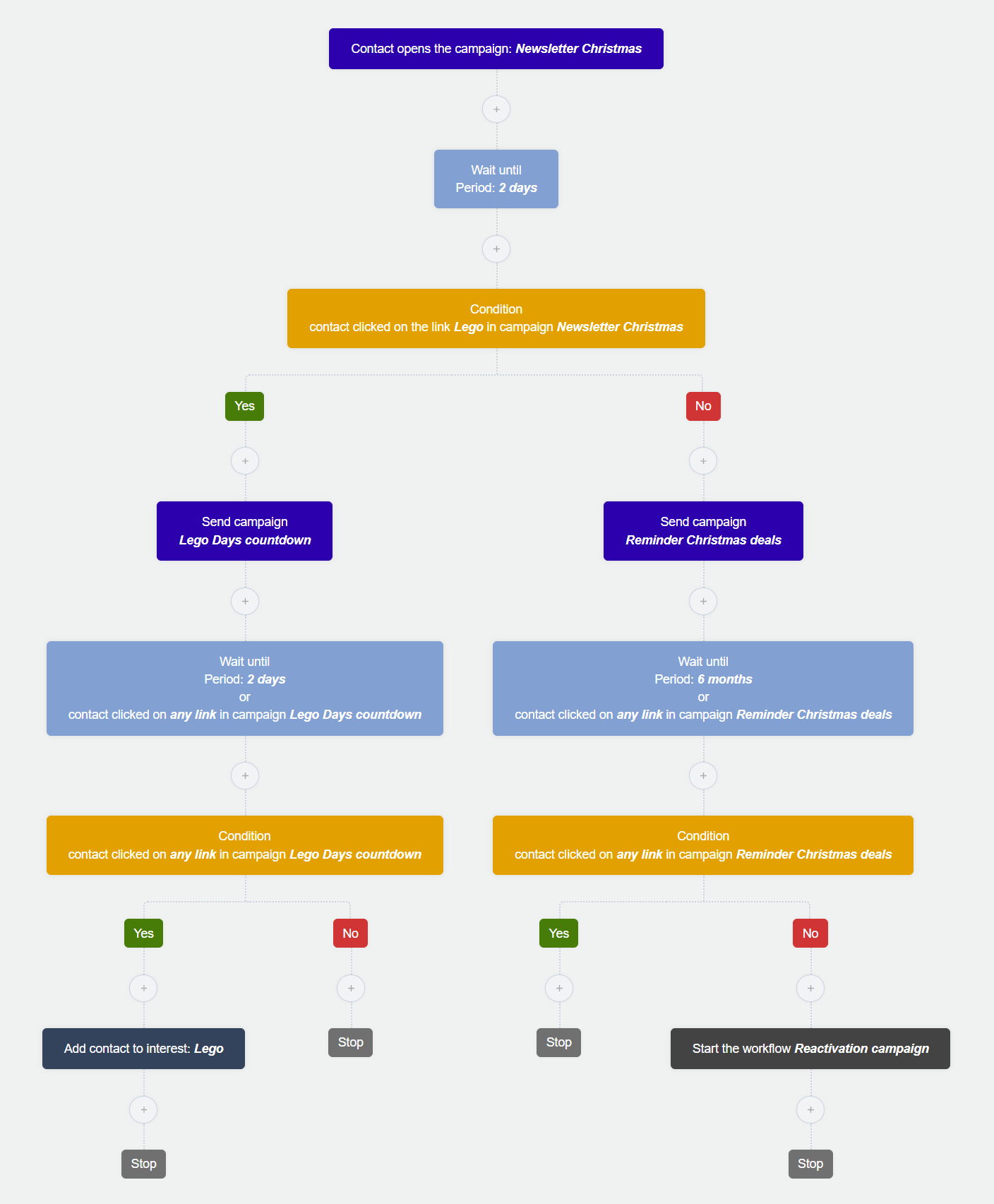
The scenario: You send a Christmas newsletter. Customers who click on the LEGO link automatically receive a campaign email about your 'LEGO Days' promotion. Those who also click on that are assigned the interest label 'LEGO'. Customers who didn't open the newsletter at all are moved into a reactivation workflow.
No path: Those who didn't click receive a general reminder about the Christmas promotions — less specific, but still relevant.
Setting up a workflow takes no more than an hour. What you get in return: more relevant communication, less manual work, and better conversions. You'll feel the difference with your very next campaign.

In this blog, we explain what automation workflows are, when to use them, and how to set one up step by step in Flexmail.
What is an automation workflow?
An automation workflow is a series of emails that are sent automatically based on a trigger. That trigger can be anything: someone subscribes to your newsletter, clicks on a specific link, has a birthday, or hasn't opened anything in a while.
What makes automation workflows so powerful: your contact activates the workflow themselves. That means the timing is always spot-on and the content is always relevant — and that translates directly into better results: higher open rates, more clicks, more conversions.
On top of that, it's a fully automated process. You set up the workflow once and the platform takes care of the rest. No more lost leads due to human error, no more time spent on individual follow-ups — while still automatically reaching every quality contact.
Must-have automation workflows
Welcome series
A welcome workflow is the most underrated workflow in email marketing. Someone subscribes to your list — that's the perfect moment to introduce yourself and set expectations. Don't immediately send your latest offer; build a relationship first. New subscribers are most engaged at that very moment.Lead nurturing workflow
A contact downloads a whitepaper or visits a product page. That's a signal of interest. With a lead nurturing workflow, you follow up on that interest with relevant content, at your contact's pace — not yours. This guides leads toward conversion step by step.Re-engagement workflow
Someone hasn't opened anything in months. Instead of continuing to email them, you send a targeted reactivation workflow. Sometimes a discount code or a "do you miss us?" email is enough to win someone back. This keeps your list healthy and your deliverability on track.Event workflow
Keep your contacts informed before, during, and after your event. Before the event, you send practical information such as location, start time, or the program. During the event, you use the workflow to encourage interaction. Afterwards, you share materials, thank attendees, and optionally promote future events.Engaging existing customers
Attracting new customers is one thing. Retaining existing customers is just as important. Automation workflows help you stay relevant even after a purchase, with upsells, birthday emails, or post-purchase follow-ups.Want to dive deeper into how to nurture leads via email? Check out our 4 recipes for persuasive lead nurturing campaigns.
Also explore the full overview of automation possibilities in Flexmail.
Before you start: five questions to sharpen your workflow
A good automation workflow doesn't start in the platform — it starts in your head. Answer these five questions first:- What is your goal? Do you want to warm up new leads, reactivate inactive contacts, or retain existing customers for longer?
- Who do you want to reach? Think about who enters the workflow and what drives them. The better you segment, the more relevant your communication.
- What will you send? Choose content that matches what attracted your contact in the first place: a blog post, an offer, additional product information. Keep it coherent and logical.
- When will you send? Choose logical intervals and align the timing with how long your target audience typically takes to make a decision. Don't send too quickly or too often — it increases the risk of unsubscribes or spam complaints.
- How will you measure success? Track open rates, clicks, and conversions at each step in the workflow, so you know what works and what to adjust.
Free Email Marketing Masterclass
Discover in 5 modules how to set-up email campaigns that hit the mark every time.
Start todayHow to set up an automation workflow in Flexmail
Let's work through a concrete example: you run a toy store and want to set up a targeted workflow around Christmas for customers who show interest in your LEGO range.The scenario: You send a Christmas newsletter. Customers who click on the LEGO link automatically receive a campaign email about your 'LEGO Days' promotion. Those who also click on that are assigned the interest label 'LEGO'. Customers who didn't open the newsletter at all are moved into a reactivation workflow.
Step 1. Create a new workflow
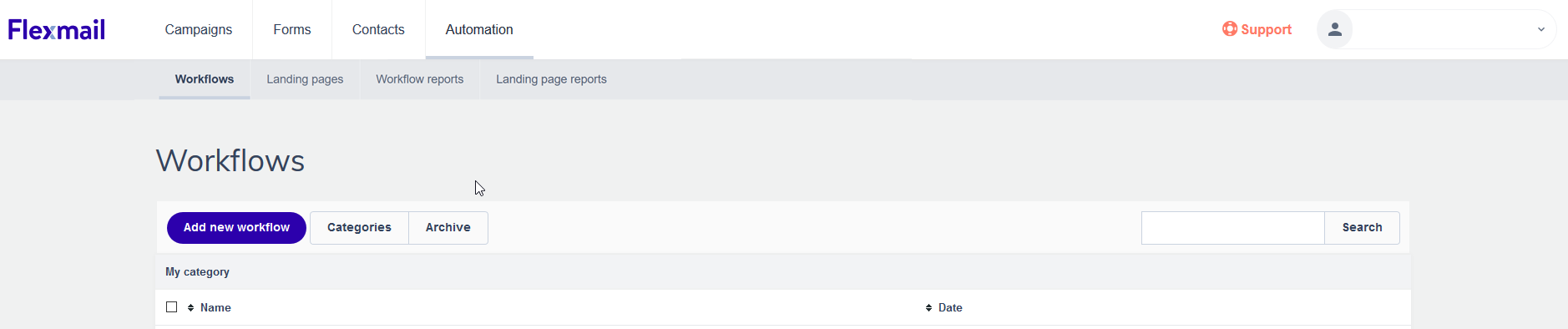
Log in to your account and go to Campaigns → Workflows → Add new workflow.
Step 2. Choose your workflow type
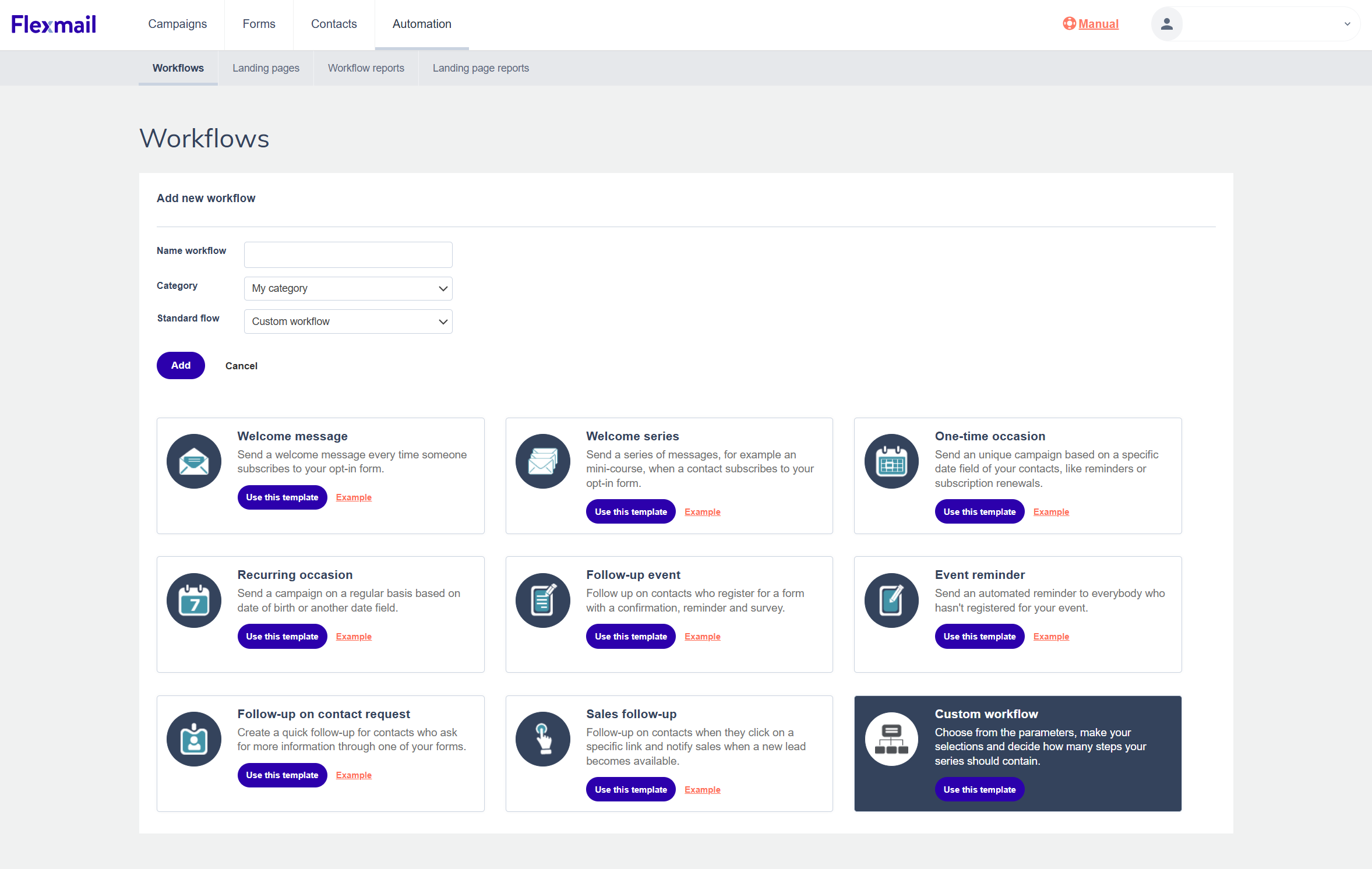
You can choose from ready-made workflows — such as a welcome workflow, a birthday workflow, or an event follow-up — or build a custom workflow from scratch. For this example, we'll go with a custom workflow.
Step 3. Set up your start block
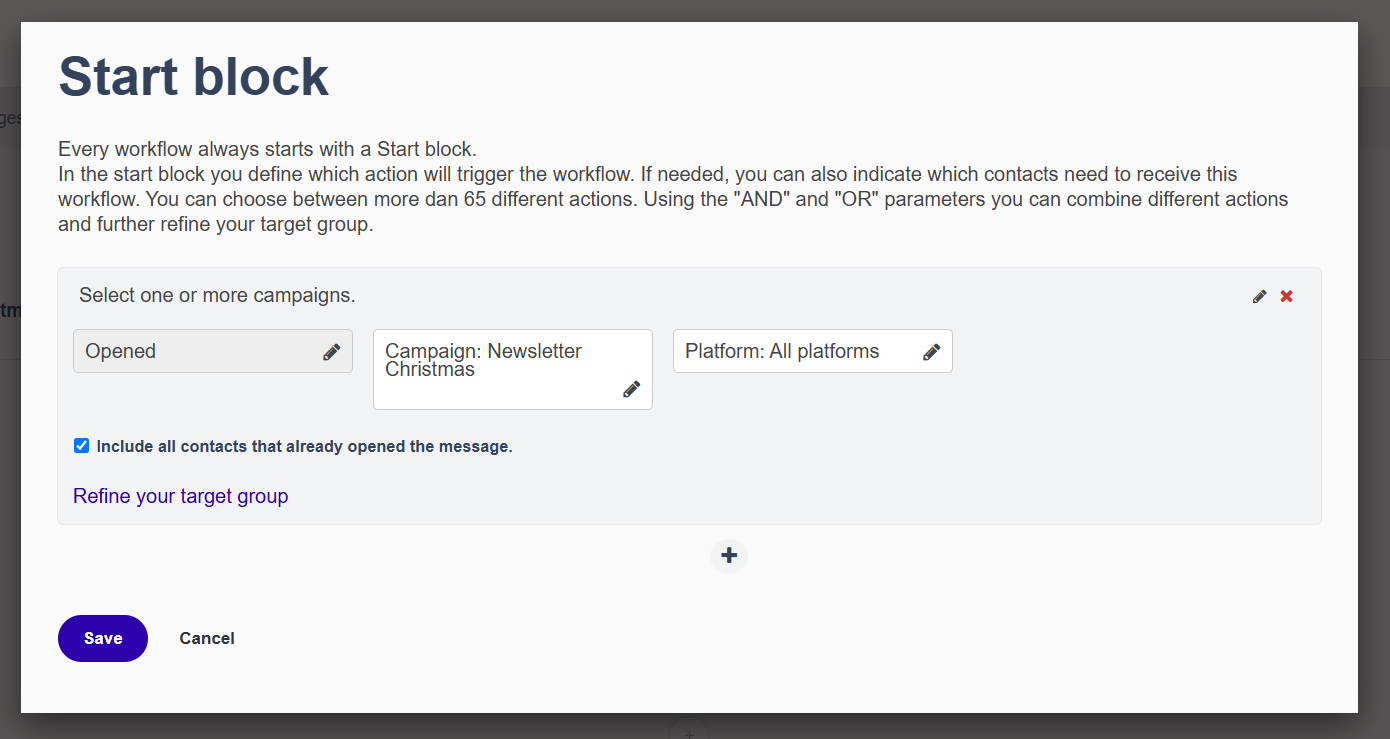
In the start block, you define who enters the workflow. You can set triggers based on campaign behavior, form submissions, contact fields, or interest labels. You can also combine multiple triggers to refine your audience. In our example: everyone who opened the Christmas newsletter.
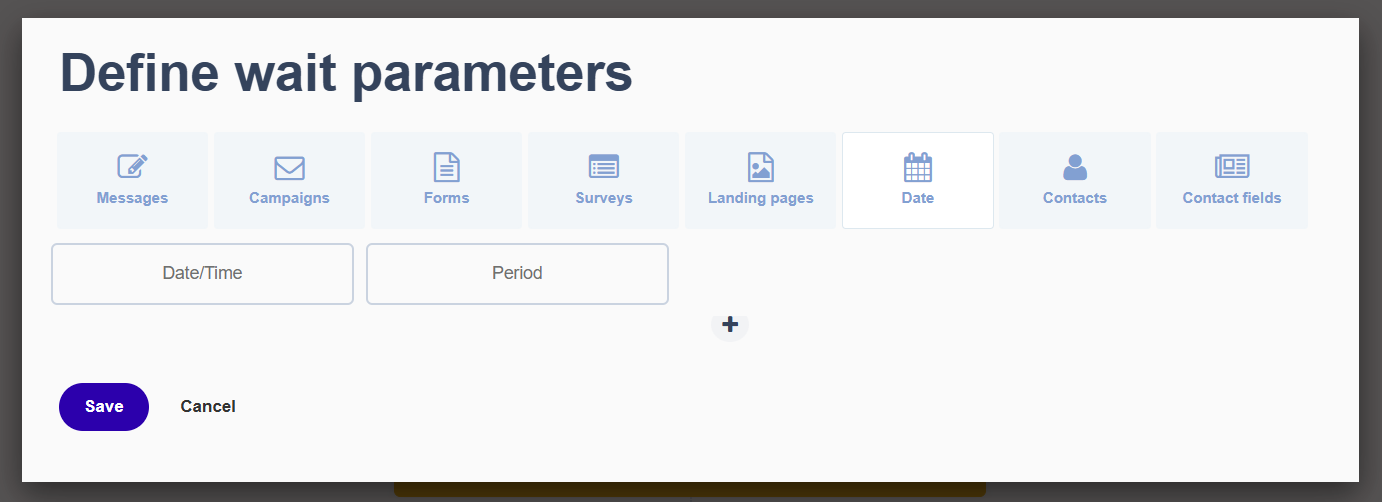
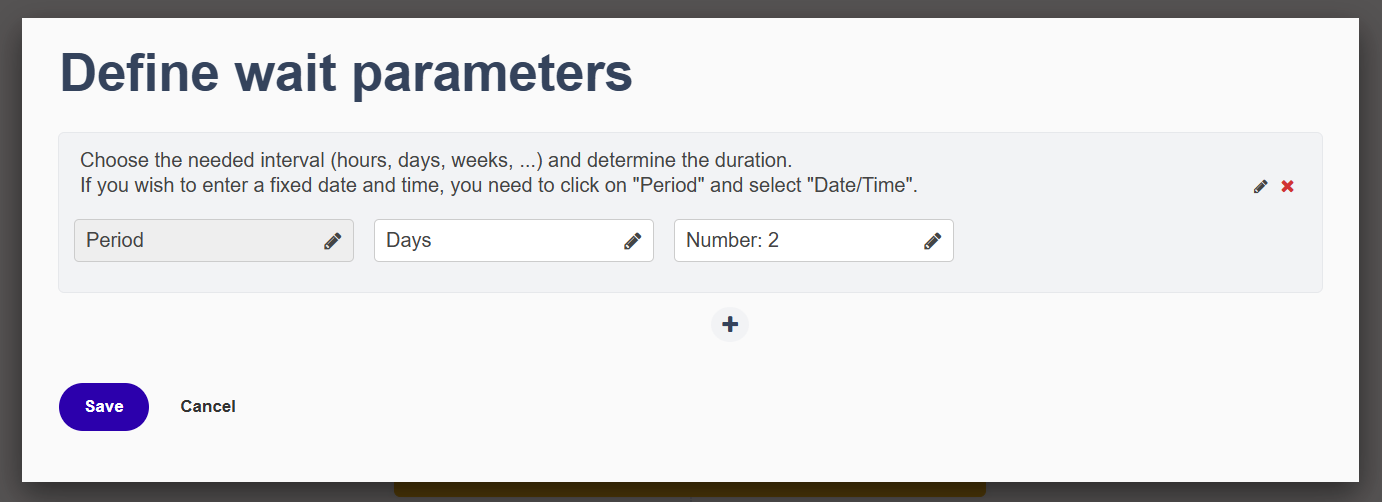
Step 4. Add a wait block
After the trigger, add a wait block. This gives your contacts time to respond before the workflow moves forward. Without a wait block, the workflow only picks up people who click immediately after opening. For this example, we wait two days.

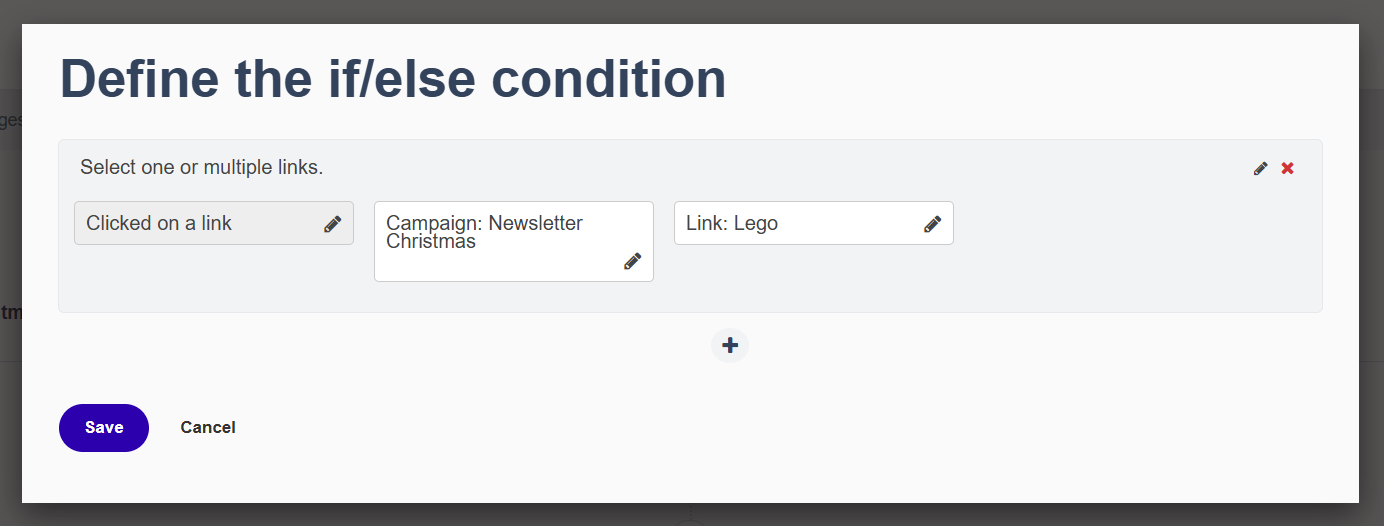
Step 5. Create a branch (if/else condition)
Now you check what happened during those two days. Did someone click on the LEGO link in the newsletter, yes or no? This is the if/else block: based on that question, your workflow splits into two paths.
Step 6. Define what happens on each path
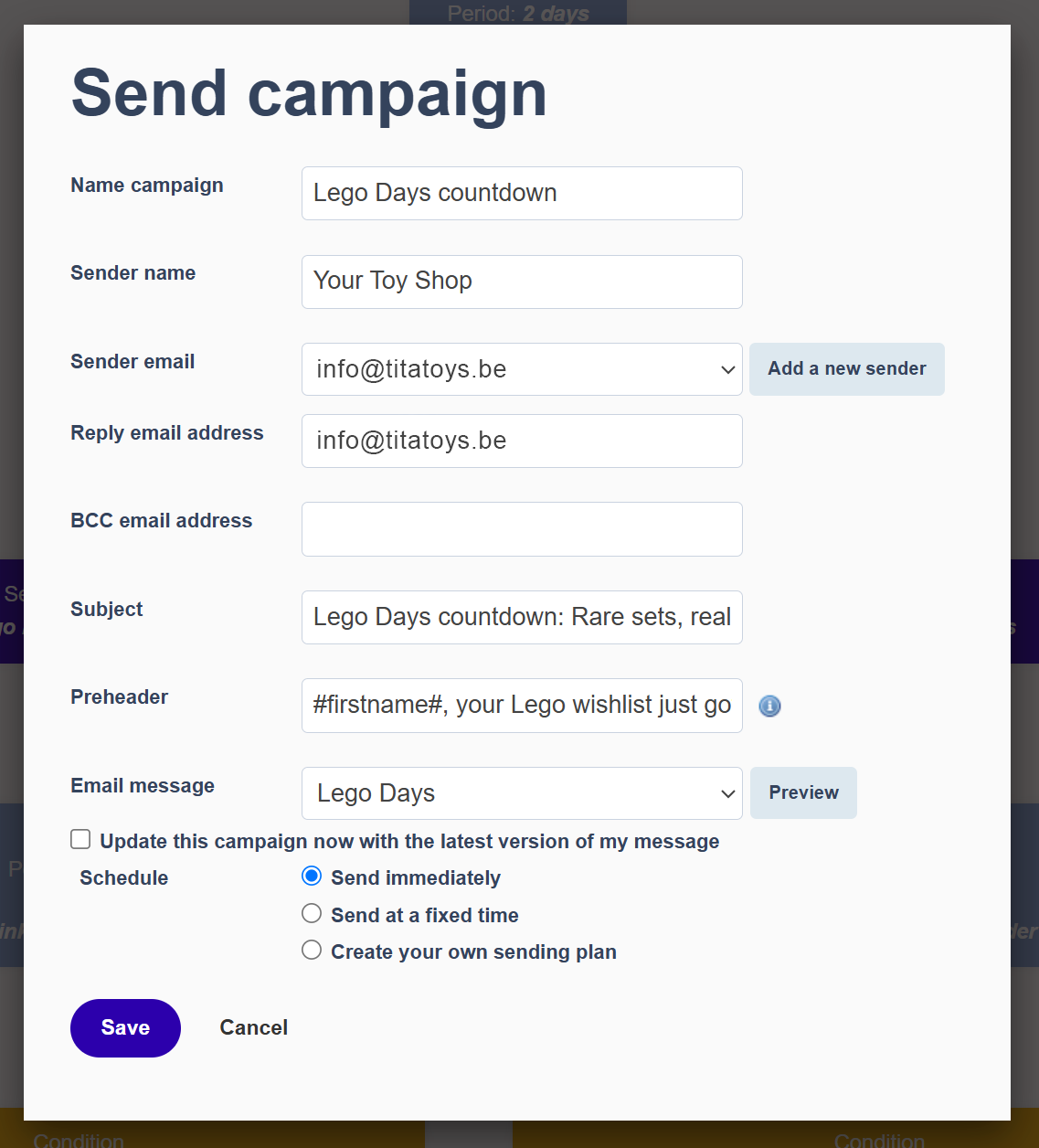
Yes path: Everyone who clicked the LEGO link receives a targeted campaign email about the LEGO Days promotion.
No path: Those who didn't click receive a general reminder about the Christmas promotions — less specific, but still relevant.
Step 7. Process the responses
Does someone click a link in the LEGO Days email? They're automatically added to the 'LEGO' interest label in Flexmail — handy for future segmentation. No response? The workflow ends, or you launch a new reactivation workflow.
Step 8. Activate your workflow
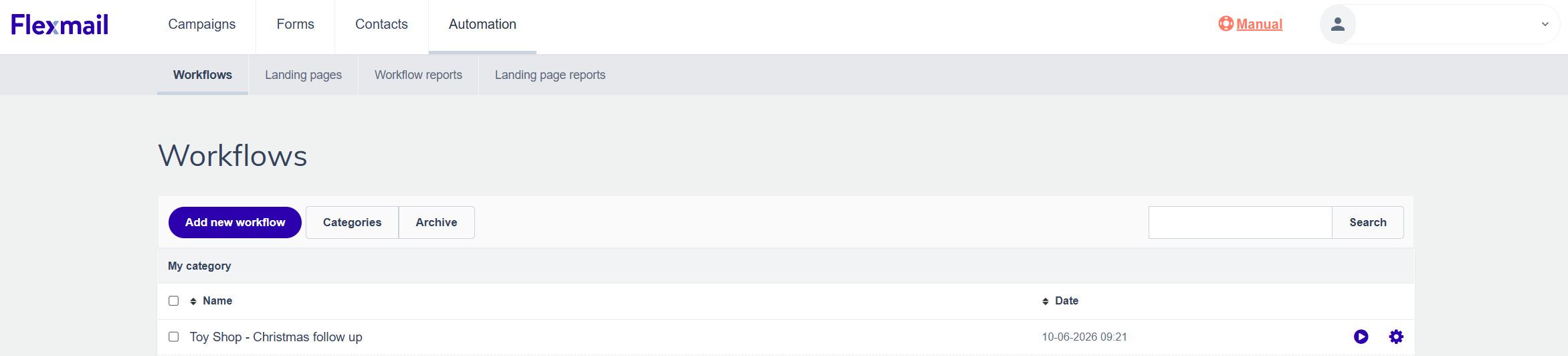
Everything set up? Go back to your workflow overview and click the play icon next to your workflow name. Want to stop it? Click the stop icon that appears afterwards.
Set it up once, reap the results continuously
A well-built automation workflow is something you build once — and then it works for you. No more leads slipping through the cracks, no more manual follow-ups, no more irrelevant emails sent to the wrong people.Setting up a workflow takes no more than an hour. What you get in return: more relevant communication, less manual work, and better conversions. You'll feel the difference with your very next campaign.
Would you like to try Flexmail?
Design mails tailored to your needs, reach your target group, and learn from the proper results.
Get a free trial now

